Everything at a glance
One grid answers the question
Every office down the side, the key days across the top, and in each cell how many people are working out of how many.
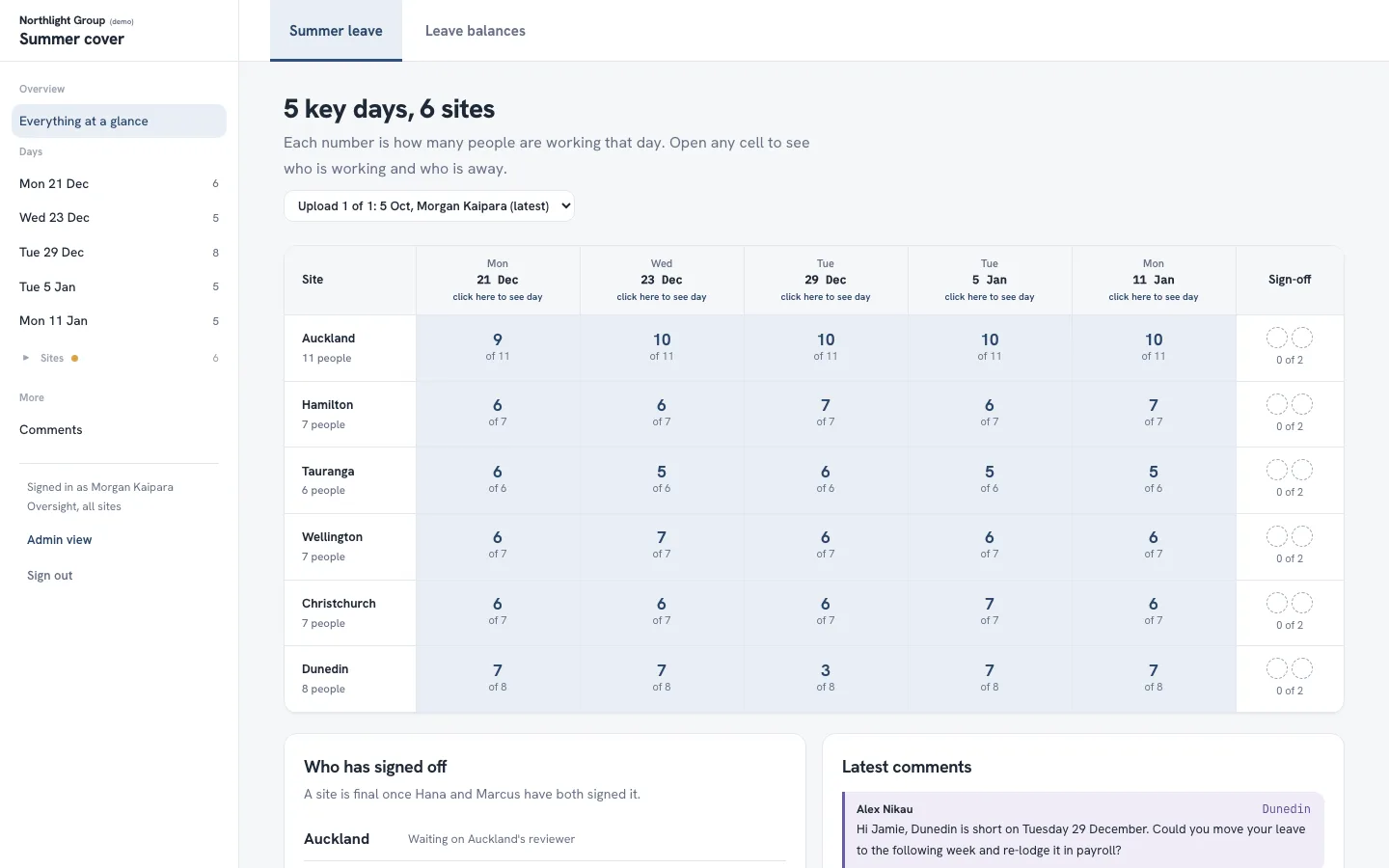
Over summer, leave requests arrive from every office at once. This planner turns the payroll export into one clear view, so managers can see where cover is thin before leave is approved.
Before summer leave is approved, management has to answer one question for every office and every key day: do we still have enough people? The information sat in payroll, in a form nobody could read at a glance.
A web app that imports the payroll workbook and shows how many people are working at each office on each day. Each office's manager opens their own office, leaves comments and signs it off.
Each manager works through their own office in their own time. Sign-off happens in the app, and payroll stays the system of record: the planner never changes anyone's leave.
Every office down the side, the key days across the top, and in each cell how many people are working out of how many.
A manager sees only their own office. Hatched days are days a person is away. They click a name or a date to leave a comment, then mark the office ready for sign-off or say what needs to change.
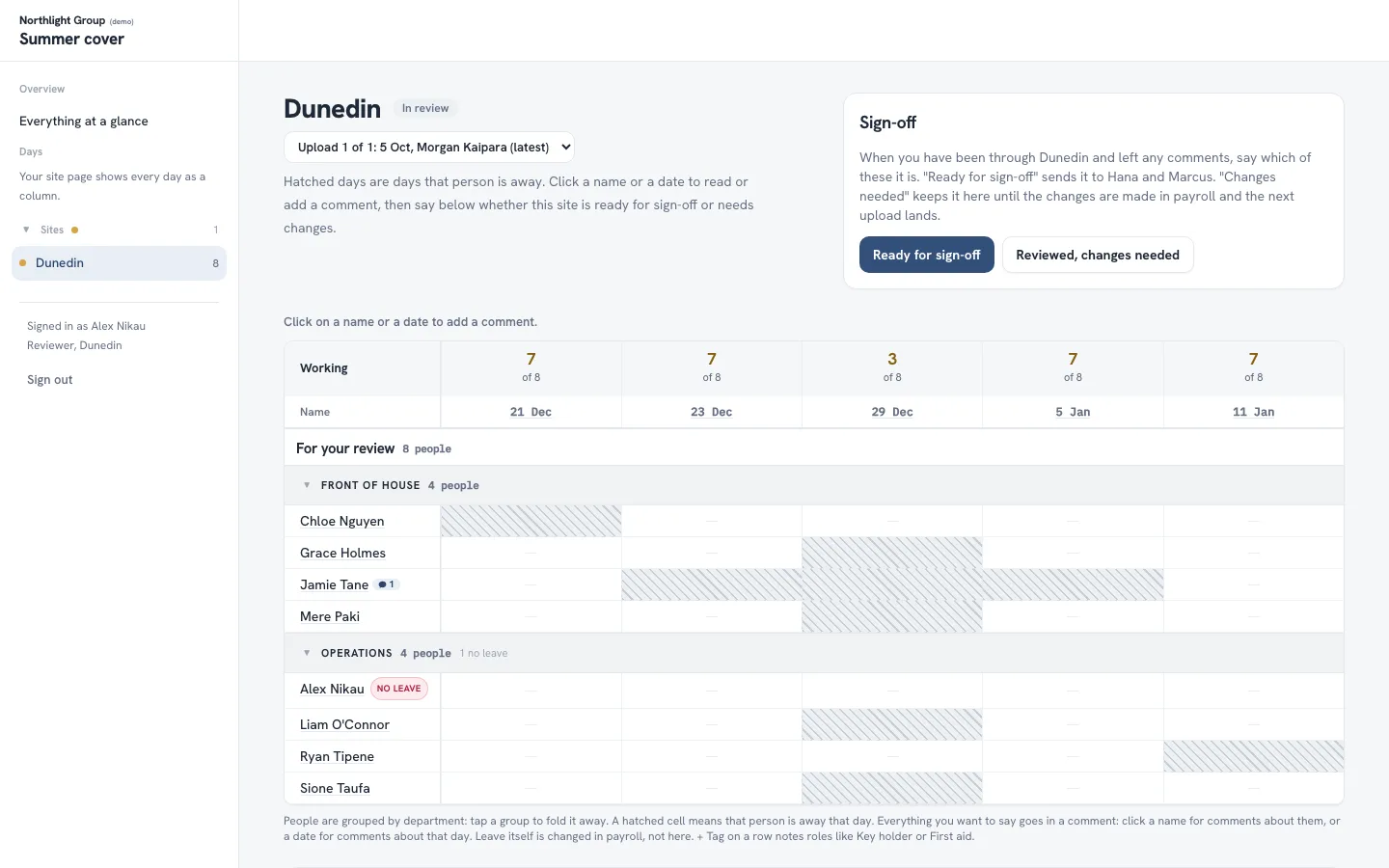
Built by our founder. Demo data shown, and the organisation's name is removed.
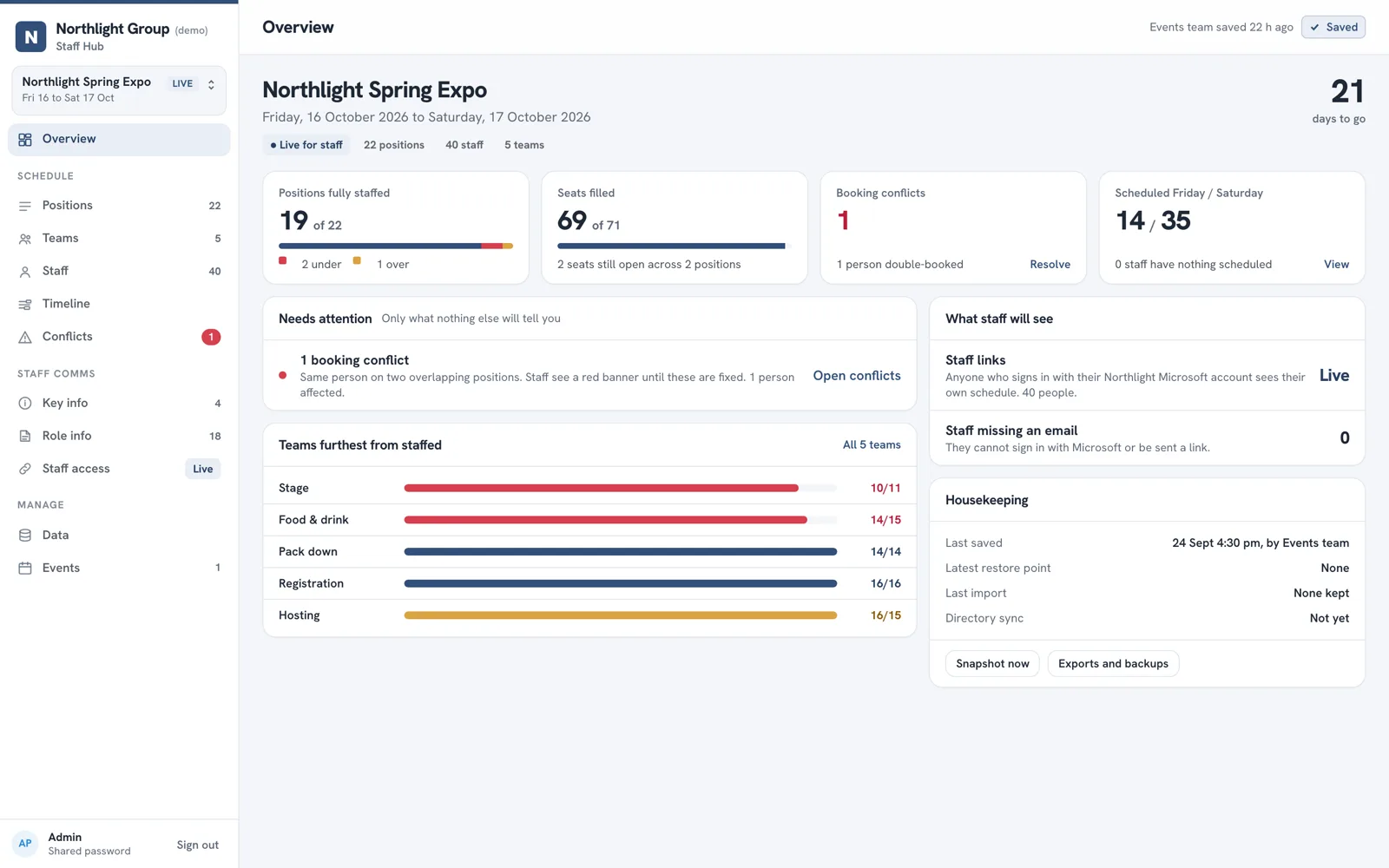
A scheduling app that took about 150 staff off the spreadsheet and into the browser.
Read the case study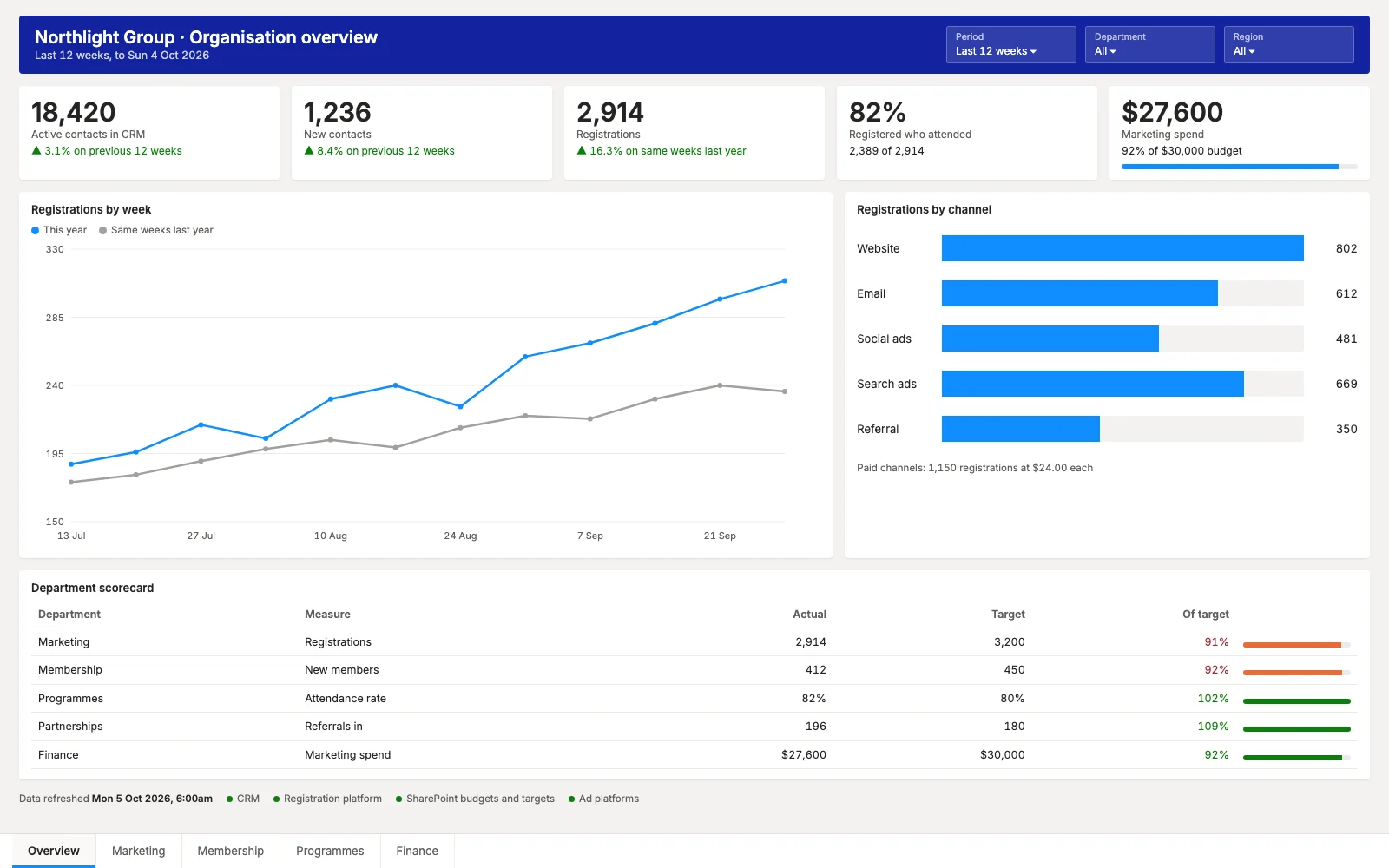
A CRM, a registration platform, SharePoint and ad platforms, feeding Power BI for every department.
Read the case study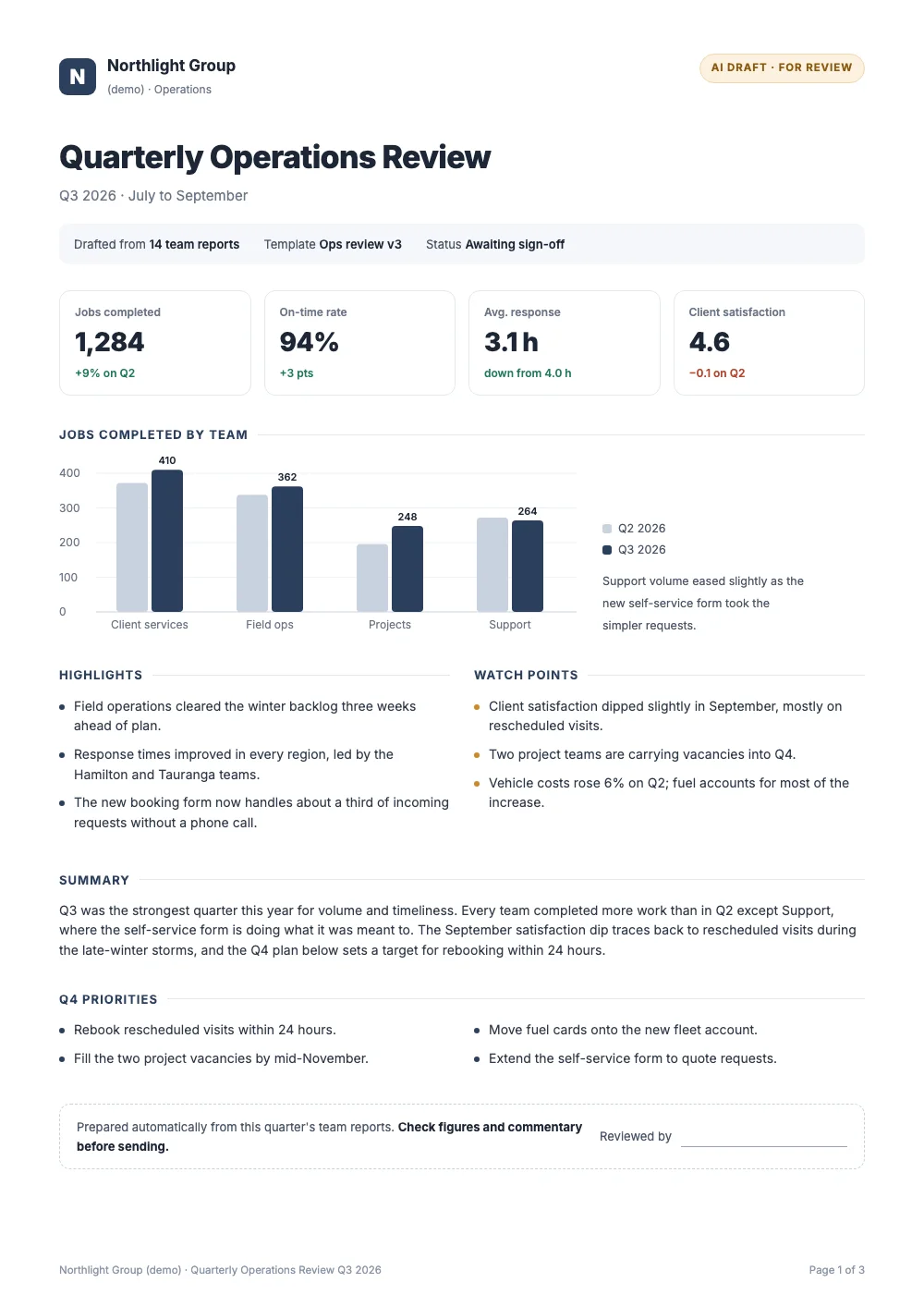
An AI report builder that cut a quarterly report from about four hours to under one.
Read the case study
Our own product: guests get their event photos by email, usually within a minute.
Read the case study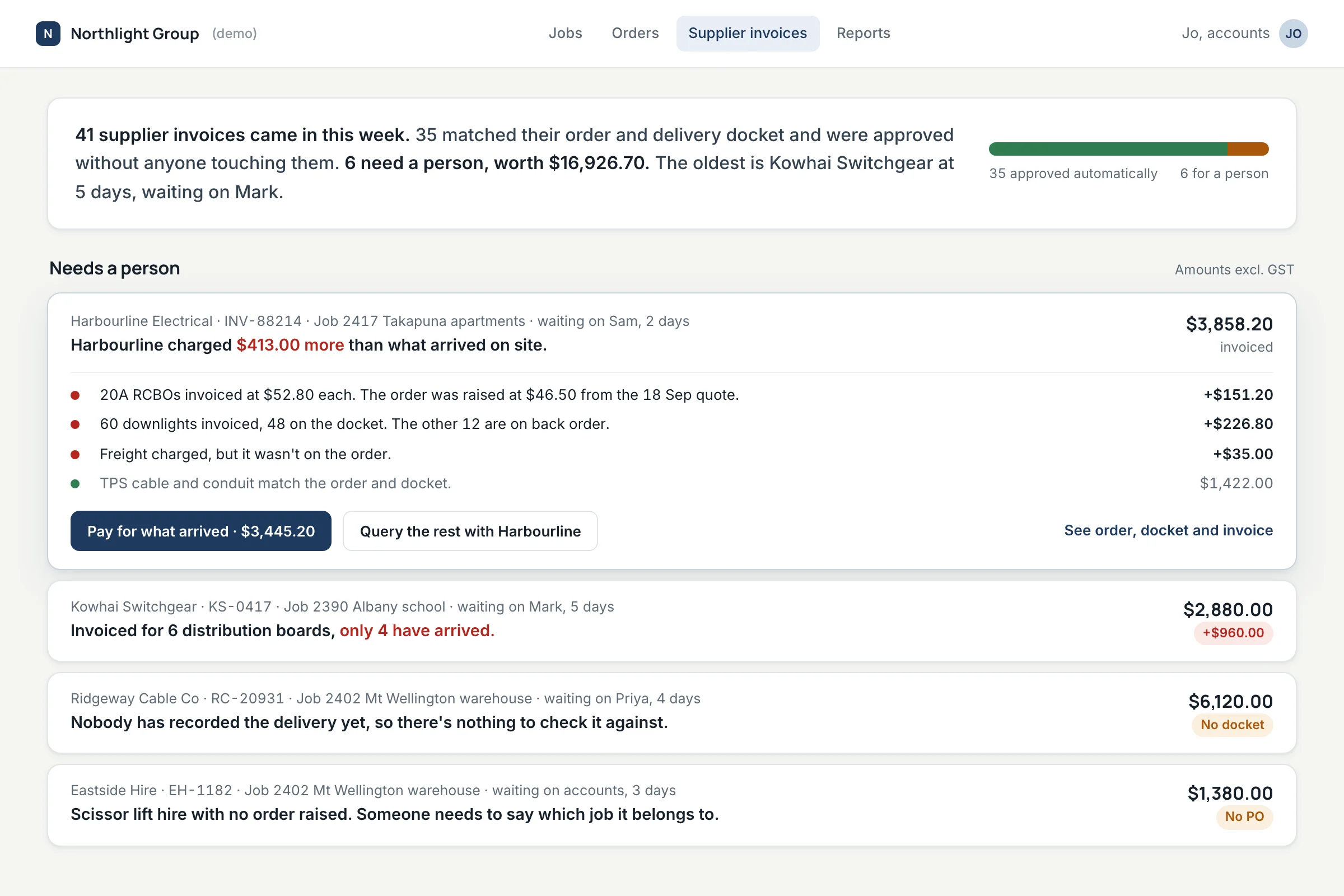
Invoices that match their order and docket go straight through. Only the differences reach a person.
See the demoTell us what's slowing your people down. The first call is free.