For accounts
The week first, then the exceptions
A plain-English summary of the week, then each invoice that needs a person, with the difference in dollars and who it is waiting on.
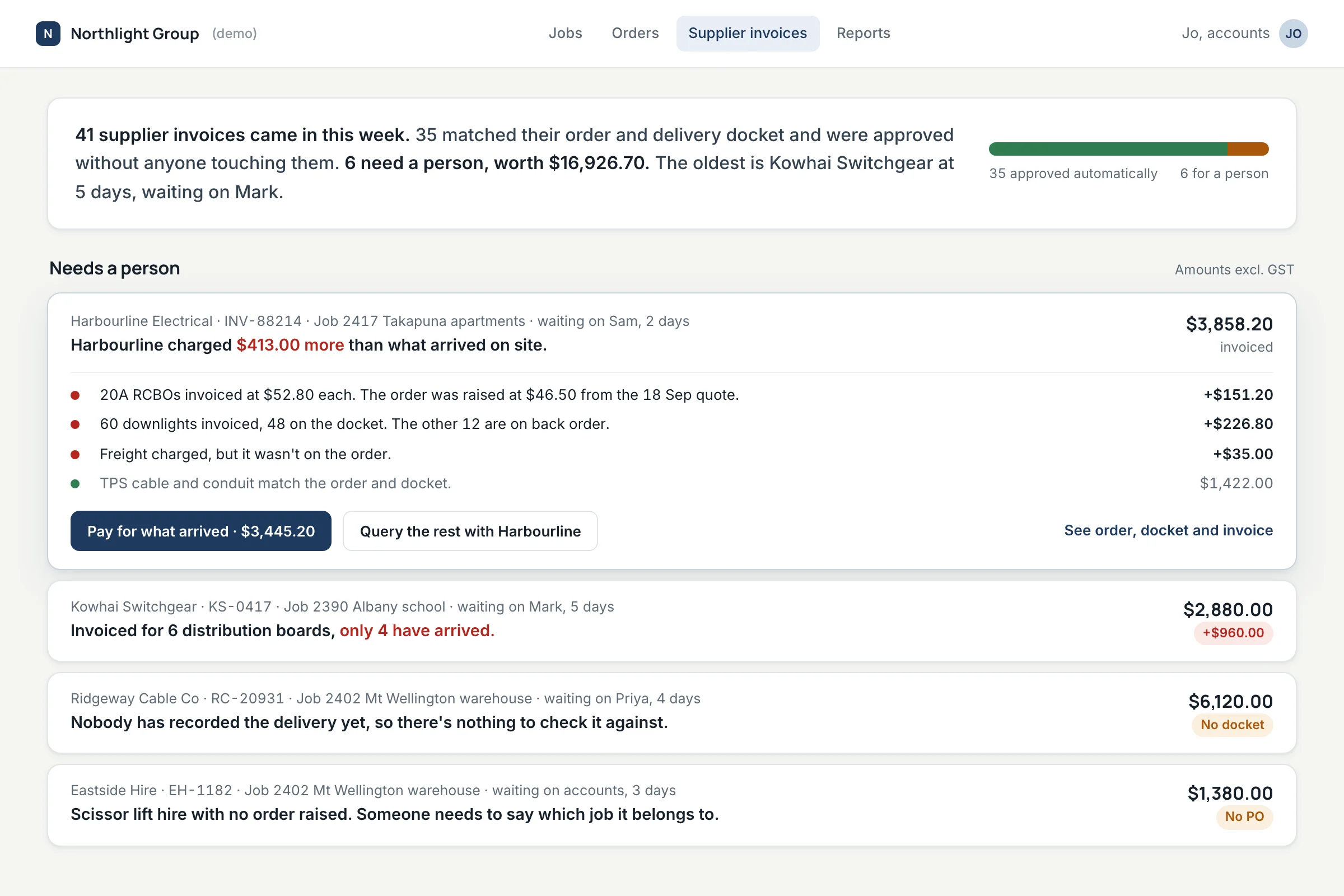
Most supplier invoices match the purchase order and the delivery docket, and nobody needs to look at them. This demo shows how the rest could reach the right person, on their phone, with the difference already worked out.
Before a supplier is paid, someone checks the invoice against what was ordered and what arrived. On paper that was a signature. In many job systems it is now an office screen, which the people who know what turned up on site find hardest to use.
Invoices that agree with their order and docket are approved automatically. Anything that doesn't is explained in one sentence and sent to the person who raised the order, with the order, docket and invoice one tap away.
Your job management or accounting system stays the system of record. The checking layer reads orders, dockets and invoices from it and sends decisions back, where the system allows it.
A plain-English summary of the week, then each invoice that needs a person, with the difference in dollars and who it is waiting on.
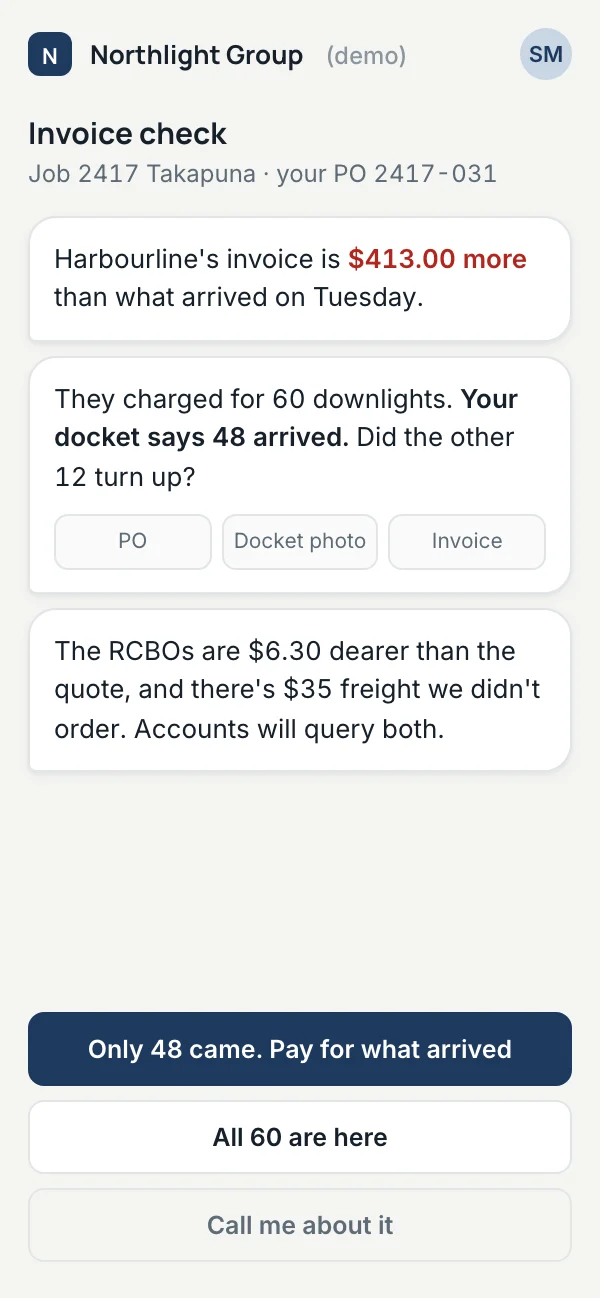
The person who raised the order gets a short message: the docket says 48 downlights arrived, did the other 12 turn up? One tap pays for what arrived and queries the rest with the supplier.
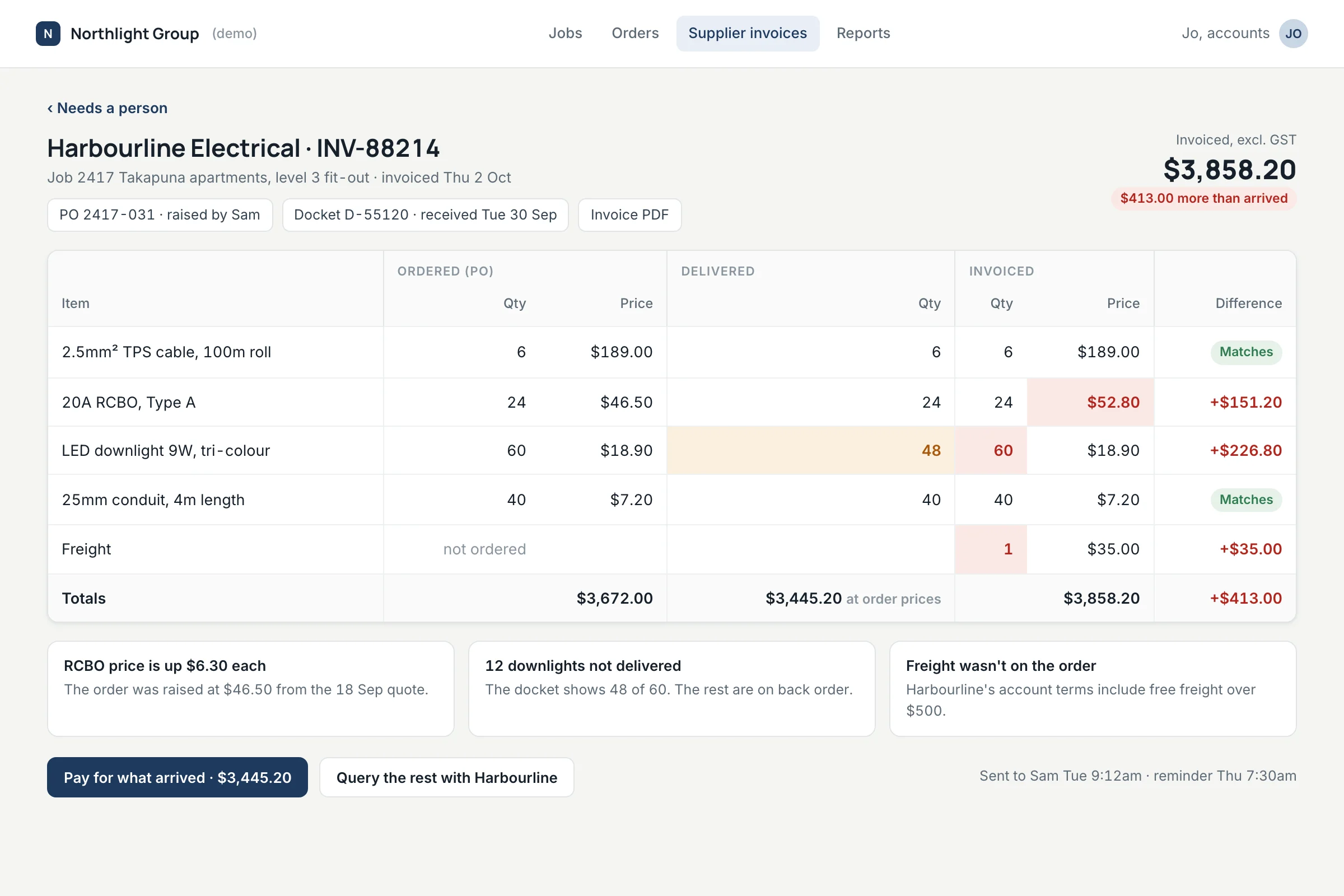
Anyone who wants the full picture gets the three documents side by side, with the cells that disagree highlighted.
Many job management systems can already match invoices to orders within a tolerance, and some have a phone app for receipting deliveries. The first step is finding out which of those are switched on and why people still work around them. Sometimes the fix is a settings change and nothing new needs building.
A demo built by System Advance with invented suppliers, jobs and figures. It is not a client system.
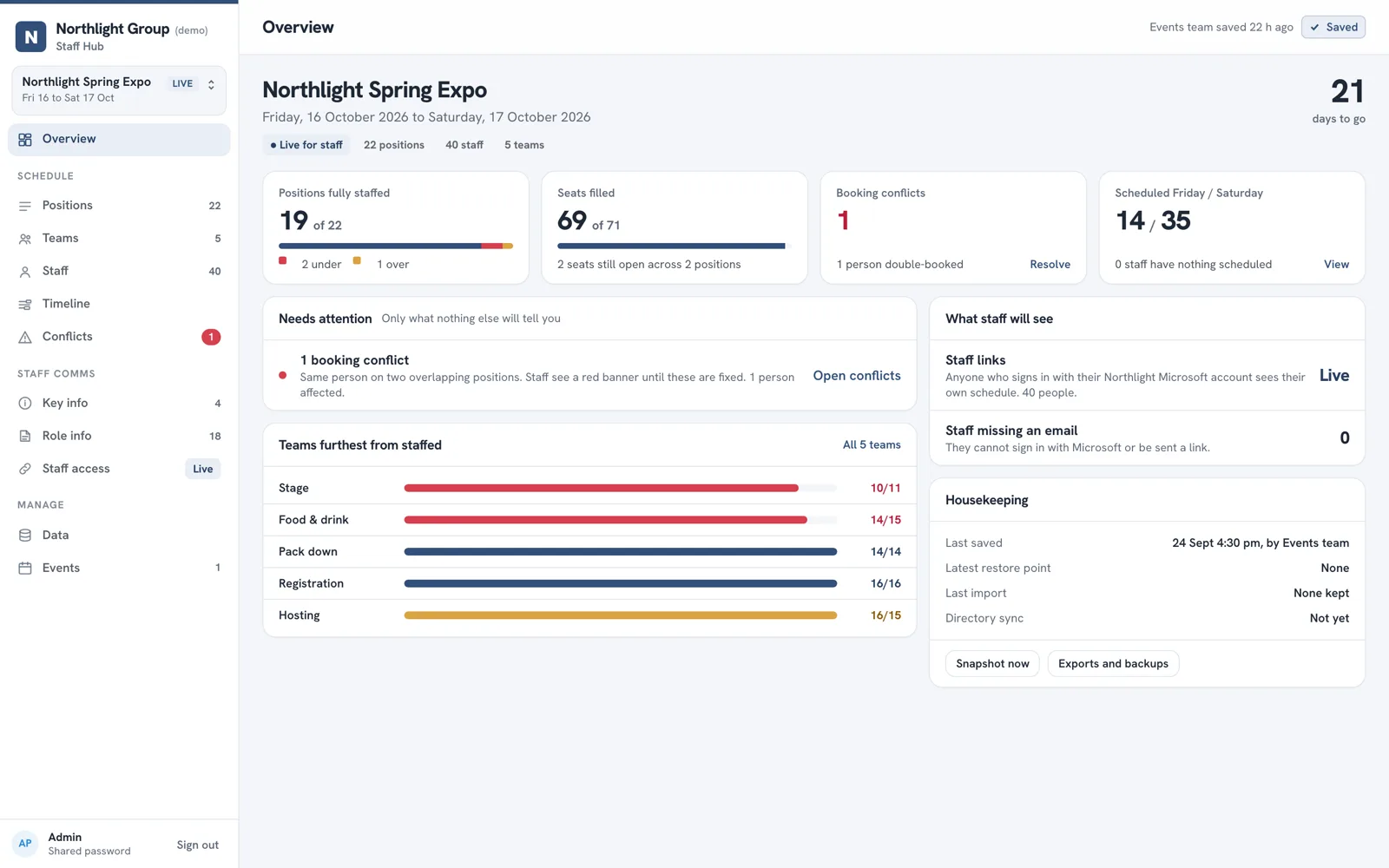
A scheduling app that took about 150 staff off the spreadsheet and into the browser.
Read the case study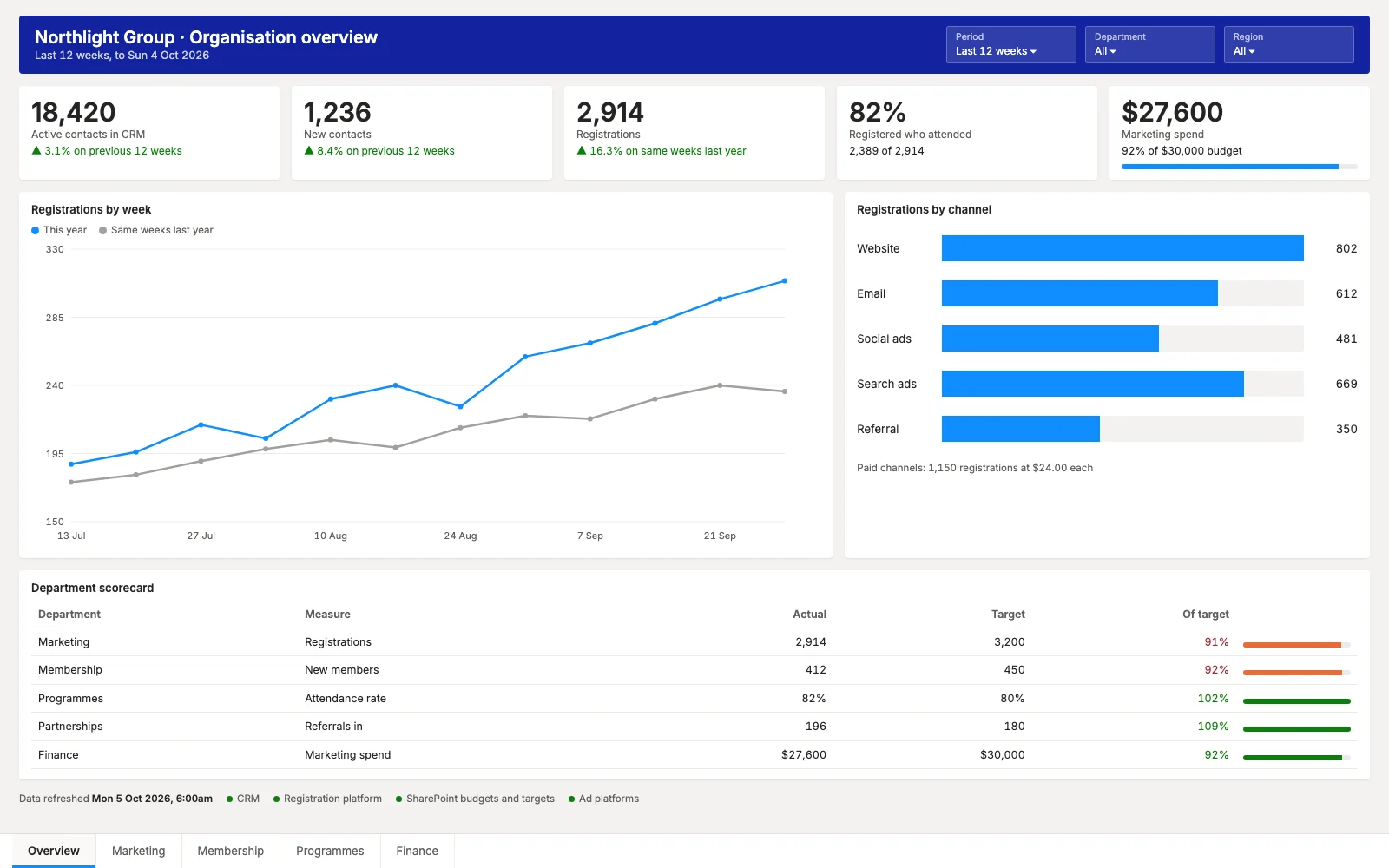
A CRM, a registration platform, SharePoint and ad platforms, feeding Power BI for every department.
Read the case study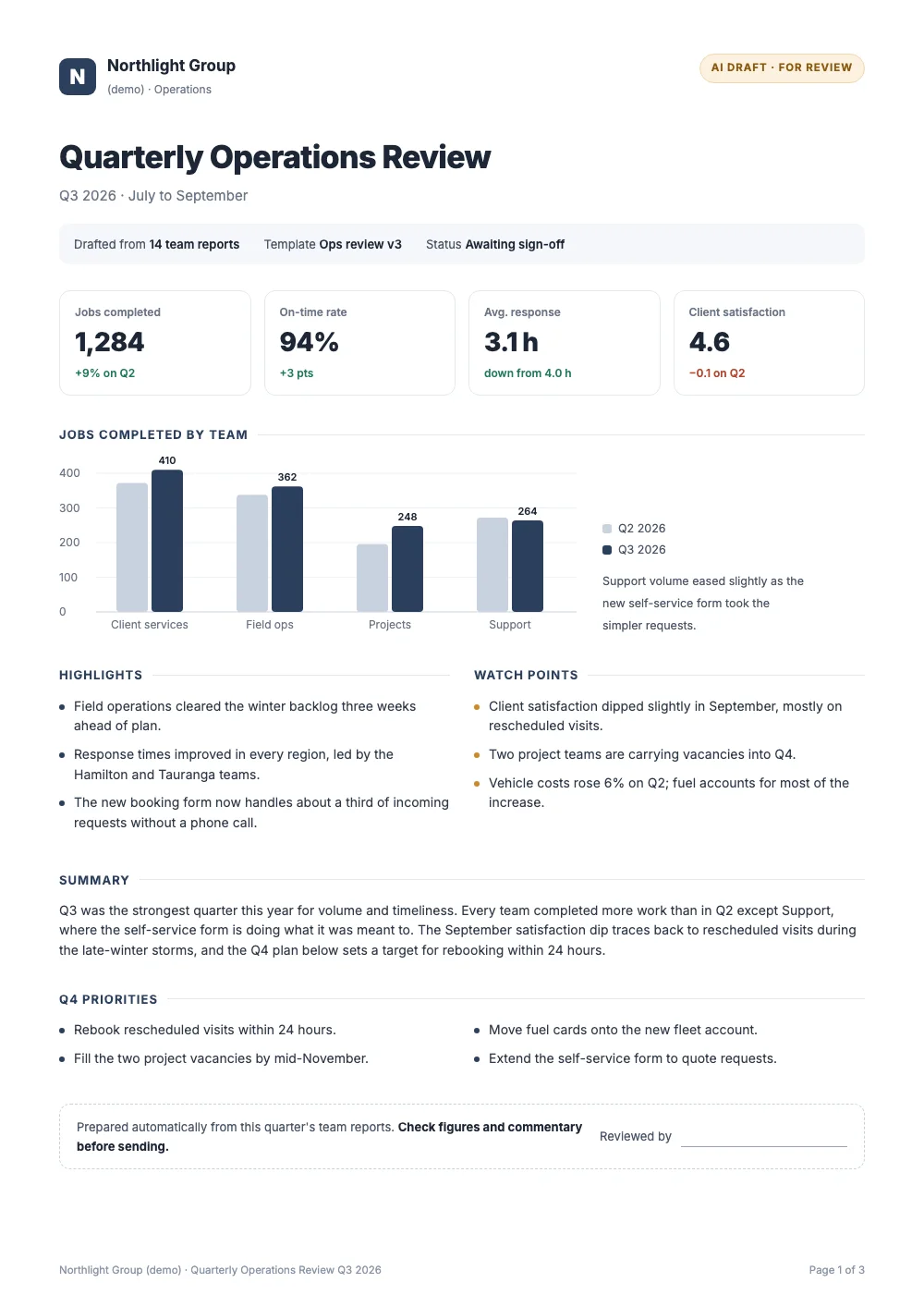
An AI report builder that cut a quarterly report from about four hours to under one.
Read the case study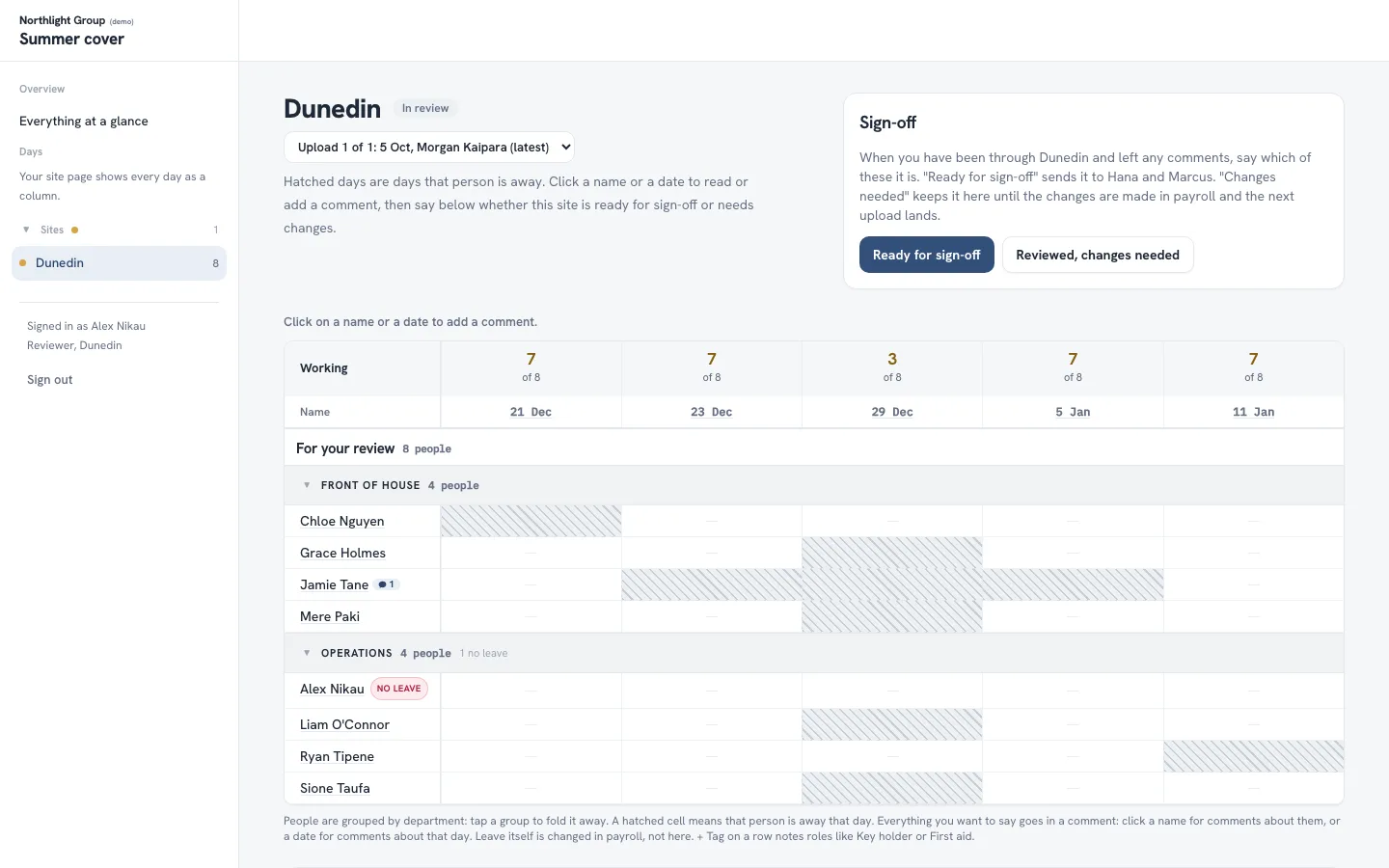
A planner that shows management who is on leave over summer at every office, with sign-off built in.
Read the case study
Our own product: guests get their event photos by email, usually within a minute.
Read the case studyTell us what's slowing your people down. The first call is free.